Monitor My Electricity Usage
Summary: monitor electricity usage with SENSE
Description
How Can We Reduce Our Home Energy Use?
Smart energy conservation starts with knowing how much energy you are using, and what for.
Find energy 'vampires' first of all. They are devices like phone chargers, computer cords, gaming consoles, DVRs, TVs, and even coffee pots that draw small amounts of power even when off, and can together add up to as much as 20-25% of your monthly electricity bill in this 'standby mode,' according to Sense Energy Monitors. Unplug these devices when not in use, or use plugin on/off switches, power strips and surge protectors. These devices keep electronics at the ready, but truly powered off.
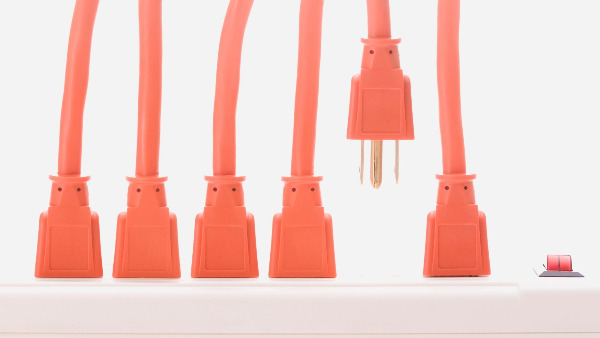
Consider a smart power strip. These powerstrips allow you to have some devices on all the time, and others on only when you are using other devices. For example, you plug your cable box into the “always on” outlet. This device remains on all the time. Next you plug your TV into the “control” outlet. Finally, plug the devices you want on when your TV is on, into the other outlets. Now, when you turn on your TV, the DVD player and X-box go on. When you turn your TV off, they go off! The cable box stays on all the time. Read more here.
What about appliances that need to stay plugged in?
Make sure they're ENERGY STAR products. When buying new electronic products, look for the ENERGY STAR label, which indicates federal certification of energy efficiency. ENERGY STAR products have been designed to waste less energy in standby mode.
Wondering if an appliance is still functioning efficiently? Connect it to the Kill A Watt®, and it will count consumption by the Kilowatt-hour, same as your local utility. You can calculate your electrical expenses by the day, week, month, even an entire year. These devices also check the quality of your power by monitoring voltage, line frequency, and power factor. Medfield’s Library has a Kill A Watt that circulates like a book. Check it out! (pun intended).
Want to monitor all energy electricity usage in your home at all times? Invest in a Sense Home Energy Monitor, which monitors everything that is drawing electricity. It sends the information from your breaker panel to your smartphone, using only a set of sensors installed in the panel. Check out this page for the many ways in which Sense users have been able to catch major power sucks and failures, fix them, and save energy and money! We recommend a licensed electrician carry out the quick and easy installation, typically around $100.
Deep Dive
Steps to Take
- Find devices that you use infrequently and keep these unplugged. Remove and unplug old speakers, BlueRays, DVD players, VCRs, gaming devices, and landline chargers that you rarely use.
- Put clusters of devices that are usually used together on smart power strips and use the switch to turn the devices on only when you use them (e.g., TV+DVD+cable box or computer+monitor+printer).
- Unplug smartphone and other electronics chargers when not in use or use a plug in on/off switch to cut off power when not in use.
- Visit Medfield’s library and borrow a Kill A Watt® from the Unusual Items Collection.
If you are interested in a Sense Monitor
- Go to Sense, choose your version (you need a different version if you have solar PV).
- Let us know how it went by contributing a testimonial in the tab above!